
Documentation › Labels › The designer
The designer
Design labels in the browser, true to size.
Layout
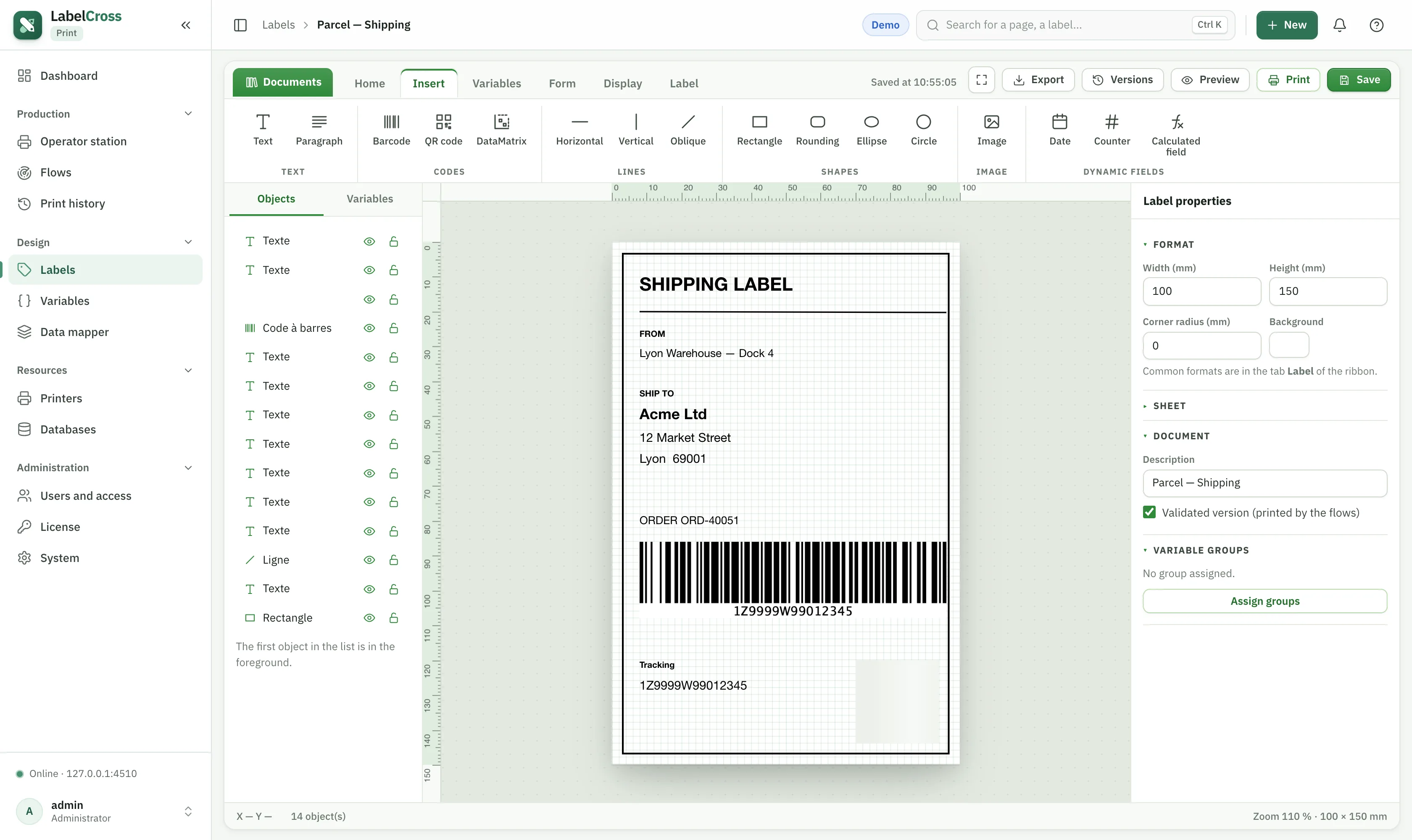
- Ribbon — Home, Insert, Variables, Form, Display and Label tabs, plus Export, Versions, Preview, Print and Save.
- Objects panel (left) — every object front-to-back; a Variables tab lists the label’s variables.
- Canvas (centre) — zoomable, with rulers and a grid.
- Properties panel (right) — the selected object’s settings, or the label format when nothing is selected.
Create a label
- New label → set the size (e.g. 100 × 150 mm) and optional corner radius.
- Add objects from the Insert tab (see Objects reference).
- Bind content to variables, position objects precisely, then Preview.
- Tick Validated version so flows and operators print it.
📘
Full step-by-step guide: Label Creation Guide (PDF).