LabelCross Print
On the floor
For your warehouse & factory floor

Made for the people doing the printing

From the packing station to the conveyor — print the right label, apply it, scan it. LabelCross Print fits the way logistics and production teams actually work.

Print Apply Scan Ship
Automatic label printing server

Your data arrives. The right label prints, on the right printer.

LabelCross Print watches your sources — files, APIs, PLCs, databases — interprets every message and prints the exact label, in the right format, on the right printer. Automatically, with no manual errors.
Request a demo
On-premise · your data stays with you 7 printer languages 9 interface languages
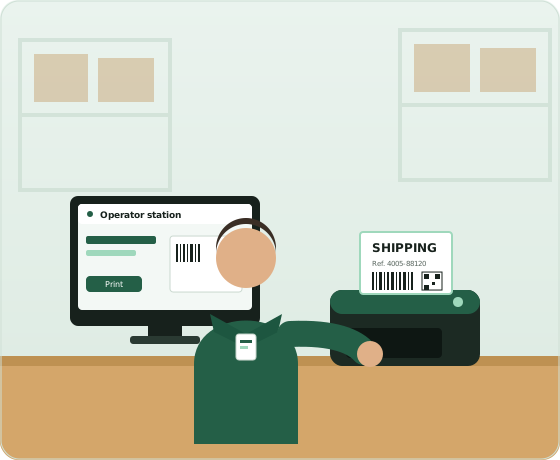
Operator printing a shipping label at a workstation
AUTOMATIC PRINTING
The right label, on the right printer
Logistics Manufacturing Food & beverage Pharma & health Retail
See it in action

A two-minute tour of LabelCross Print

From data to printed label: printers, flows, label design, the operator station, security and reliability — narrated, in two minutes.

The flow

From the message received to the printed label

Each flow listens to a channel, interprets the data and drives the printer — exactly as an external system would, but automatically and error-free.
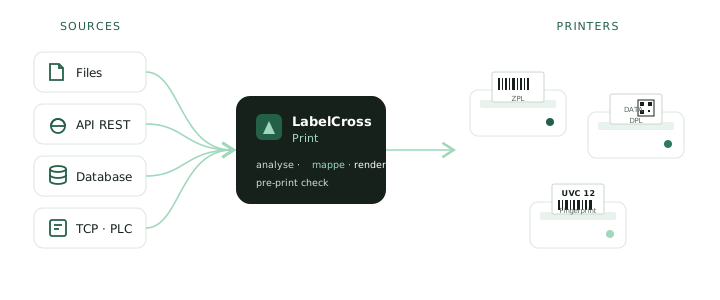
Data sources feed the LabelCross server, which prints on the relevant printers
01 · INPUT

We receive your data

A watched folder, a web service, a TCP/IP frame, SFTP or a database. The flow triggers the moment a message arrives.

FilesAPI RESTTCP/IPDatabaseSFTP
02 · ANALYSIS

We map and we check

The mapper turns CSV, fixed-width, JSON or SQL rows into label variables. Strict checks: nothing is sent if a value is invalid.

MapperVariablesValidation
03 · PRINTING

The right label, the right machine

The label is rendered in the printer's native language and sent over its connection. Barcodes verified, text aligned to the dot.
ThermalSystemPDFReprint
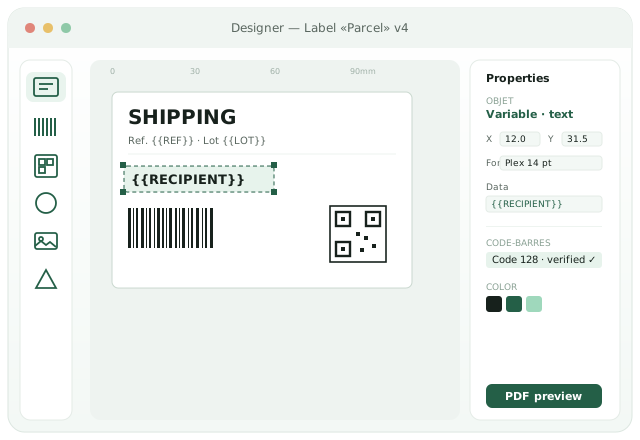
Label designer: canvas, objects, properties, barcodes
Label designer

Design your labels to the dot

A full graphical layout, with faithful preview and version history. Place text, barcodes, QR codes, images and shapes, and bind them to your data variables.
  • Objects & variablesText, shapes, images, data-bound fields ({{VARIABLE}}), rotation, alignment.
  • Verified 1D & 2D barcodesCode 128, EAN, UPC, ITF, Codabar… QR, DataMatrix, PDF417, Aztec — check digits validated.
  • Versions & historyEvery change is tracked; restore an earlier version, label trash included.
  • Preview & PDFSee the exact result before printing, export to PDF.
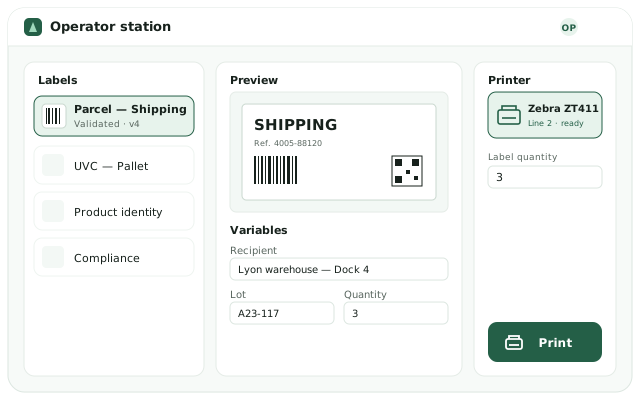
Operator station: label, printer, variables, print button
Operator station

A simple station for the shop floor

Built for operators: pick a label, pick a printer, enter the variables, print. No technical training required.
  • Live previewThe label updates as the variables are typed.
  • Allowed printers onlyEach operator only sees the printers of their access groups.
  • No blank printsChecks block printing if a required value is missing.
  • ReprintFind and reprint a label from the history.
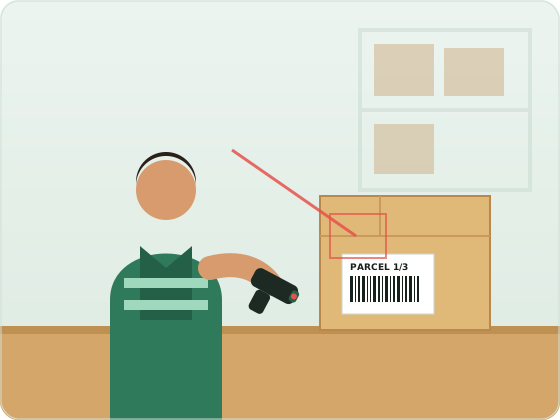
Operator scanning a barcode on a parcel in a warehouse
TRACEABILITY
Scanned, tracked, confirmed
In production

Built for the shop floor and the warehouse

From the packaging line to the loading dock, LabelCross Print prints the right label at the right time, 24/7, with no re-keying.

  • End-to-end automationTriggered by your systems (ERP, WMS, MES), with no human intervention.
  • Industrial reliabilityTimeout, queue and error handling; direct connections to the print heads.
  • TraceabilityEvery print, error and warning is logged for audit.
Compatible printers

Native drivers for the major industrial brands

The label is generated in the printer's command language — or sent as an image aligned to the dot for models without a published language.

Zebra — direct thermal and thermal transfer.
Honeywell · Intermec · Datamax.
Honeywell · Intermec — native and image rendering.
cab — direct TCP/IP connection.
Markem-Imaje — messages and variable fields.
System
Windows · CUPS printers, with tray management.
PDF
PDF generation into an output folder.
Features

Everything to industrialize your labels

From design to security, through data and traceability.

Graphic designer

Layout, objects, variables, versions and faithful preview.

1D & 2D barcodes

Code 128, EAN, QR, DataMatrix, PDF417… verified.

Data mapper

CSV, fixed-width, JSON, SQL → label variables, testable.

Operator station

Pick, type, print. Simple and error-free.

Security & RBAC

Permission profiles, printer access by group, SSO, audit.

History & reprint

Prints, errors and warnings archived and reprintable.

7
Printer languages
1D + 2D
Verified barcodes
9
Interface languages
24/7
Automatic printing
Industries

Made for demanding environments

Wherever labeling must be accurate, fast and traceable.

Logistics

Shipping, parcel and pallet labels, order picking.

Manufacturing

Product identification, compliance, work orders, trays.

Food & beverage

Use-by dates, lots, traceability, regulatory labeling.

Pharma & health

Serialization, GS1 DataMatrix, strict pre-print checks.

Deployment

Installed on-site, controlled end to end

LabelCross Print installs on your servers. Your data and prints never leave your network.

Windows service

Professional installer: auto-start, embedded Java, configurable port. Nothing else to install.

On your network

Runs 100% locally. Production printers are never exposed externally.

Multilingual

Interface in 9 languages: English, French, Spanish, Italian, Portuguese, German, Dutch, Chinese, Japanese.

Ready to automate?

Request your free demo

Fill in the form — you’ll receive your download and a quick-start guide by email within minutes.

We’ll email you the download links, the installation steps and how to start the demo.